Personal Access Tokens
Personal access tokens let you authenticate with the Donotname API and MCP server without using your password. They are tied to your user account and have the same permissions you do.
Creating a Token
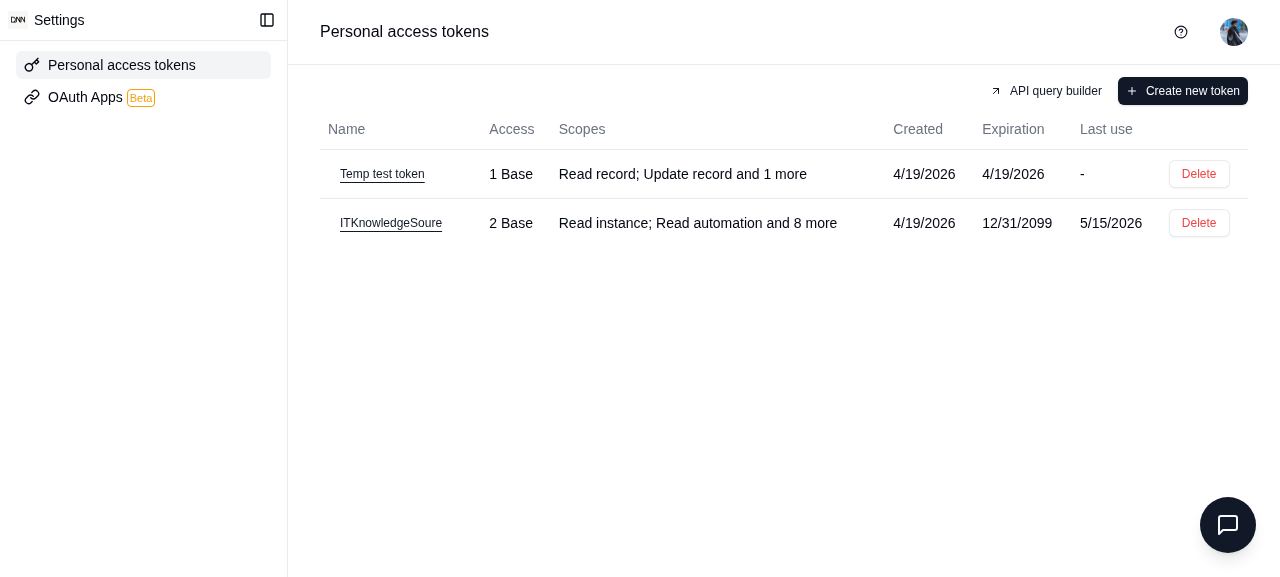
- Go to Settings (click your avatar in the bottom-left)
- Select Personal Access Token from the sidebar
- Click Create Token
- Enter a name for the token (e.g., "MCP Server", "CI/CD Pipeline")
- Choose the scopes (permissions) the token should have
- Optionally restrict access to specific spaces or bases
- Set an expiration date
- Click Create
- Copy the token immediately — it is shown only once
Token Scopes
Scopes control what the token can access:
| Scope | Description |
|---|---|
| Full Access | Complete access to everything you can access |
| Read | Read records, fields, views, and table schemas |
| Write | Create, update, and delete records |
| Admin | Manage spaces, bases, and members |
Using Your Token
REST API
Include the token in the Authorization header:
curl "https://app.donotname.com/api/table/{tableId}/record" \
  -H "Authorization: Bearer YOUR_TOKEN"
MCP Server
Set the token as an environment variable:
DONOTNAME_API_TOKEN=your-token npx @donotname/mcp-server
See the MCP Server guide for full setup instructions.
Managing Tokens
Viewing Tokens
All your tokens are listed on the Personal Access Token page. Each shows:
- Token name
- Creation date
- Last used date
- Expiration date
Refreshing a Token
If a token is compromised or you want to rotate it:
- Click the Refresh button next to the token
- A new token value is generated
- The old token is immediately invalidated
- Copy the new token
Deleting a Token
Click Delete to permanently revoke a token. Any integration using that token will immediately stop working.
Security Best Practices
- Never share tokens — treat them like passwords
- Use descriptive names — so you know which integration each token is for
- Set expiration dates — prefer short-lived tokens over permanent ones
- Use minimum scopes — only grant the permissions the integration actually needs
- Restrict to specific bases — if the integration only needs one base, limit the token accordingly
- Rotate regularly — refresh tokens periodically, especially after team member departures
- Never commit to git — use environment variables or secret managers
- Revoke unused tokens — delete tokens for integrations you no longer use
Troubleshooting
- 401 Unauthorized — the token may be expired or deleted. Create a new one.
- 403 Forbidden — the token does not have the required scope for this action.
- Token not shown again — if you lost the token value, delete it and create a new one.